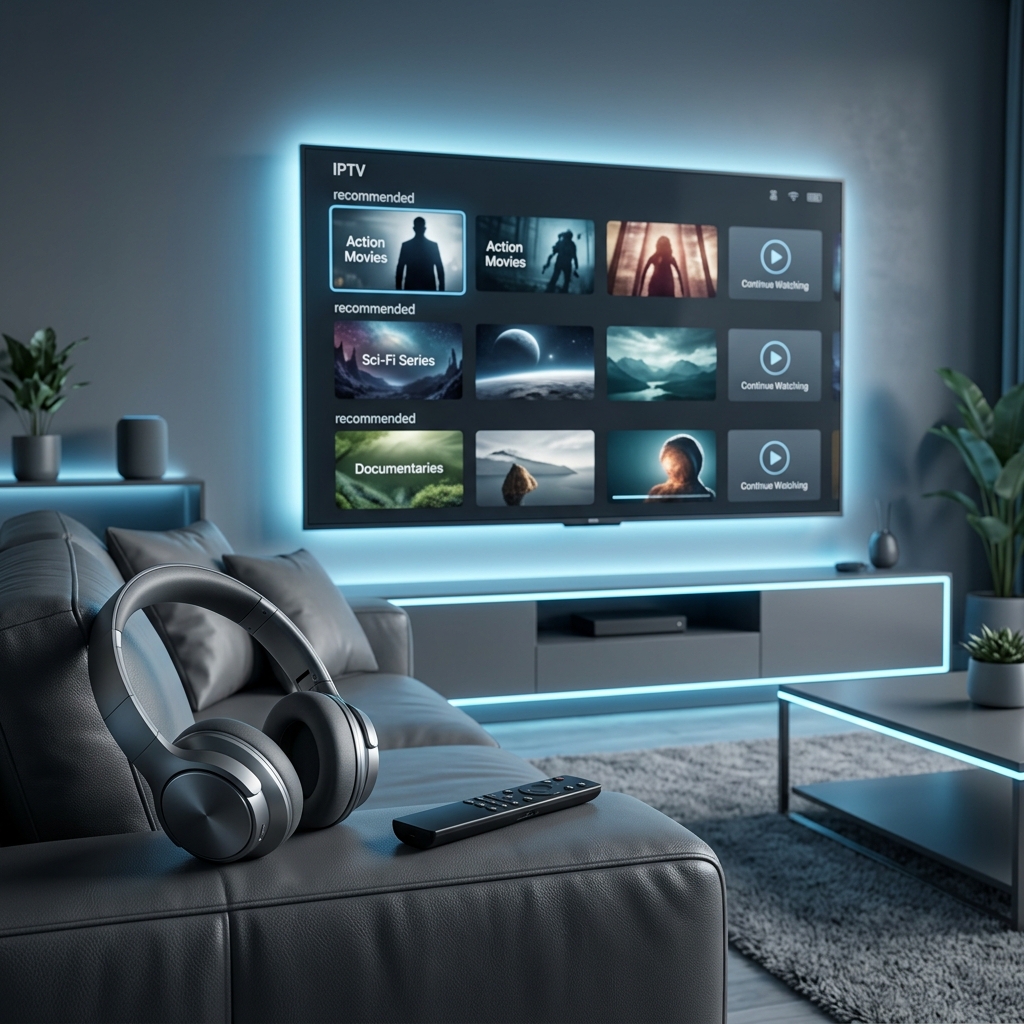
How to Choose the Best Soundbar for Your TV and Home Entertainment Setup

Elena
Experience Designer & Connected TV Expert
How to Choose the Best Soundbar for Your TV and Home Entertainment Setup
You spent hundreds or thousands of dollars on a television with a stunning display that renders every blade of grass in photographic detail. You sit down to watch a film and the dialogue sounds like it is being delivered through a tin can stuffed inside a cardboard box. This jarring mismatch between extraordinary visual quality and embarrassingly thin audio quality is the defining frustration of modern flat-panel television ownership. Manufacturers sacrifice speaker size driver quality and acoustic chamber volume to achieve the ultra-thin profiles that consumers demand resulting in built-in audio systems that cannot reproduce bass below two hundred hertz struggle to project clear dialogue and collapse the entire soundstage into a narrow zone directly beneath the screen.
A soundbar solves this mismatch completely with a single compact device that sits below or in front of your television and delivers audio quality that transforms your viewing experience as dramatically as upgrading from standard definition to 4K transformed your visual experience. Even the most affordable soundbars produce wider sound staging clearer vocal reproduction and deeper bass extension than any built-in television speaker system regardless of how expensive the television itself may be.
This guide walks through every decision point in selecting the right soundbar for your specific television setup room size audio priorities and budget. You will understand the meaningful differences between channel configurations learn which connectivity options matter and which are marketing fluff and discover how premium spatial audio features create genuine overhead immersion without mounting speakers on your ceiling.
Understanding Soundbar Channel Configurations and What the Numbers Mean
Soundbar specifications use a numerical format like 2.0 or 3.1 or 5.1.2 that describes the audio channel architecture of the system. Each number position represents a different speaker category and understanding this notation instantly tells you what spatial audio capabilities the system provides before you read a single review or hear a single demonstration.
The first number indicates the primary horizontal audio channels. A 2.0 configuration contains two channels producing stereo left and right separation. A 3.0 or 3.1 configuration adds a dedicated center channel driver positioned in the middle of the soundbar specifically optimized for vocal dialogue clarity. A 5.1 configuration adds two additional channels providing wider spatial separation that extends the perceived sound field beyond the physical width of the soundbar itself through psychoacoustic processing or dedicated side-firing drivers.
The second number indicates subwoofer presence. A zero means no dedicated subwoofer is included and the soundbar handles bass reproduction internally through its own enclosure which physically limits low-frequency extension. A one indicates a dedicated subwoofer is included either wirelessly connected or wired that handles bass frequencies independently allowing the soundbar drivers to focus on midrange and treble reproduction without distortion from attempting to reproduce frequencies below their physical capability.
The optional third number indicates upward-firing height channels designed to bounce audio off the ceiling to create the perception of overhead sound. A 5.1.2 system includes two upward-firing drivers that project sound toward the ceiling where it reflects downward toward the listener simulating overhead speakers without requiring any ceiling-mounted hardware. This configuration enables spatial audio formats that place sound effects above the listener for genuine three-dimensional audio immersion during compatible content.
HDMI ARC vs eARC vs Optical and Choosing the Right Connection
The connection method between your television and your soundbar determines both the audio quality the system can deliver and the convenience features available during daily use. Three connection options exist on most modern soundbars and understanding what each one supports prevents purchasing a soundbar that cannot deliver its full audio capability through your available television ports.
HDMI ARC uses a single HDMI cable connected to the port labeled ARC on your television. This connection carries audio from the television to the soundbar while simultaneously enabling CEC control signals that allow your television remote to adjust soundbar volume power and input selection automatically. ARC supports compressed surround sound formats including standard multichannel audio at standard bitrates. For most streaming content and broadcast television ARC delivers perfectly adequate audio quality through a single cable with convenient remote control integration.
HDMI eARC available on televisions with HDMI 2.1 ports dramatically increases the audio return bandwidth enabling lossless uncompressed surround sound formats. If your soundbar supports lossless audio processing and you play content from physical disc media or high-bitrate streaming sources that include lossless audio tracks eARC delivers measurably superior audio fidelity compared to standard ARC. The difference is most noticeable in complex orchestral soundtracks and atmospheric surround mixes where compression artifacts on standard ARC can subtly flatten spatial detail that eARC preserves.
Optical audio connections use a fiber optic cable carrying a digital audio signal through a light-based transmission medium. Optical supports compressed surround formats at standard quality but lacks the CEC control integration that HDMI ARC provides. This means your television remote cannot control soundbar volume through an optical connection requiring a separate soundbar remote for daily operation. Optical connections remain useful as a fallback for older televisions that lack HDMI ARC ports but should be considered a secondary option whenever ARC or eARC is available.

Why a Dedicated Subwoofer Transforms Your Entire Audio Experience
The most impactful single upgrade in any soundbar system is the addition of a dedicated subwoofer. Bass frequencies below one hundred hertz require significant air displacement to reproduce accurately. The compact enclosure of a soundbar physically cannot move enough air to generate deep impactful bass regardless of how clever the internal engineering may be. A soundbar attempting to reproduce deep bass from its small drivers produces distortion at high volumes and rolls off low-frequency content entirely below approximately eighty to one hundred hertz.
A dedicated subwoofer houses a large driver typically six to ten inches in diameter inside a purpose-built enclosure designed specifically for low-frequency reproduction. This driver moves dramatically more air than any soundbar driver can producing chest-thumping bass during action sequences thunderous percussion during music playback and the subtle low-frequency atmospheric rumble that creates a visceral sense of immersion during cinematic content. The physical sensation of bass that you feel rather than merely hear adds an entirely new dimension to your home entertainment experience.
Most soundbar systems rated 2.1 or higher include a wireless subwoofer that connects to the soundbar through a dedicated wireless link without requiring any cable between the two units. This wireless connection allows you to position the subwoofer wherever it sounds best in your room which is typically on the floor near a wall or corner where room boundary effects naturally reinforce bass output. The subwoofer pairs with the soundbar automatically during initial setup and the soundbar manages crossover frequency allocation sending only the appropriate low-frequency content to the subwoofer while handling midrange and treble internally.
Spatial Audio Formats and How Upward-Firing Speakers Create Overhead Sound
The most exciting development in soundbar technology is the integration of spatial audio processing that creates a genuine three-dimensional sound field from a single front-facing device. Traditional surround sound requires physical speakers placed behind the listener to create the sensation of sounds arriving from multiple directions. Spatial audio soundbars achieve a similar effect through a combination of psychoacoustic processing techniques and upward-firing height channel drivers that bounce audio off the ceiling to simulate overhead speaker placement.
Upward-firing drivers are angled speaker elements mounted on the top surface of the soundbar aimed toward the ceiling at a calculated angle. Sound from these drivers reflects off the flat ceiling surface and arrives at the listener from above creating the perception that audio is originating from overhead. During compatible content a helicopter passing over the scene produces sound that travels from the front soundbar channels upward through the height channels across the ceiling and descends toward the listener mimicking the trajectory of the helicopter across three-dimensional space.
The effectiveness of upward-firing height channels depends significantly on room characteristics. Flat hard ceilings at standard eight to nine foot heights produce the best reflections and the most convincing overhead imaging. Vaulted ceilings angled ceilings and very high ceilings disperse the reflected sound reducing the precision of the overhead effect. Rooms with heavy ceiling-mounted acoustic panels or textured popcorn ceilings absorb the reflected energy and diminish the height channel effectiveness. For rooms with standard flat ceilings the spatial effect from premium soundbars with height channels is genuinely impressive and clearly audible during compatible spatial audio content.
Soundbar Size and Power Matching for Your Room Dimensions
Matching soundbar physical size and power output to your room dimensions ensures the audio fills the space appropriately without being either overwhelmed by a large room or unnecessarily overpowering in a small one. A soundbar designed for a bedroom produces thin underwhelming audio when asked to fill a large open-plan living area. Conversely a high-powered soundbar in a small bedroom can produce booming reflections and excessive bass that fatigues your ears during extended listening.
For televisions forty-three inches and smaller in bedrooms or small offices compact soundbars between twenty and thirty inches wide with total system power between fifty and one hundred watts provide appropriately scaled audio. These smaller units deliver clear dialogue improvement and pleasant stereo separation without overwhelming intimate spaces with excessive volume and bass energy.
For televisions fifty-five to sixty-five inches in standard living rooms soundbars between thirty-six and forty-eight inches wide with total system power between two hundred and four hundred watts fill the space effectively. The wider soundbar body positions left and right drivers farther apart creating wider stereo imaging that matches the scale of a large television display. Higher power output ensures the system maintains clean undistorted audio at the volume levels needed to fill medium to large rooms during action sequences without compressing dynamics.
For televisions seventy-five inches and larger in dedicated media rooms or open-concept living spaces full-width soundbars exceeding fifty inches with system power above four hundred watts and a dedicated subwoofer with a ten-inch or larger driver deliver the scale of sound that these massive displays demand. Some premium systems in this category include detachable wireless surround speakers that mount behind the seating position creating genuine discrete rear channel separation that front-facing soundbars simulate through processing but cannot physically replicate.

Budget vs Mid-Range vs Premium and What Each Price Tier Delivers
Soundbar pricing spans from under fifty dollars for basic stereo units to over fifteen hundred dollars for flagship spatial audio systems with wireless surround speakers and multiple subwoofers. Understanding what each price tier genuinely delivers in measurable audio quality helps you allocate your budget for maximum impact rather than overspending on features your content and room cannot fully utilize.
Budget soundbars between fifty and one hundred fifty dollars deliver the single most impactful upgrade from built-in television speakers. At this price point expect a 2.0 or 2.1 channel configuration with a compact wireless subwoofer on higher-end budget models. Dialogue clarity improves dramatically. Bass extends noticeably deeper than internal TV speakers can produce. Stereo separation creates a wider more engaging sound field. These affordable units provide eighty percent of the daily listening improvement for twenty percent of the cost of flagship models making them the highest-value purchase for viewers who primarily stream television series and casual movie content.
Mid-range soundbars between one hundred fifty and five hundred dollars add meaningful channel count increases to 3.1 or 5.1 configurations with larger more capable subwoofers and basic spatial audio processing. Dedicated center channel drivers improve dialogue clarity significantly over two-channel designs. Virtual surround processing creates wider spatial imaging. Build quality and driver materials improve delivering cleaner distortion-free output at higher volume levels. This price tier represents the sweet spot for households that want genuinely impressive audio for movies and music without the premium investment of flagship spatial audio systems.
Premium soundbars above five hundred dollars deliver upward-firing height channels for overhead spatial audio support wireless rear surround speakers for discrete behind-the-listener channel separation and premium driver materials that produce audiophile-grade clarity across the entire frequency spectrum. These systems approach dedicated home theater performance from a fraction of the component count and installation complexity. The premium investment is justified for dedicated media rooms cinephile households and music enthusiasts who demand reference-quality audio reproduction from their entertainment system.
Setting Up Your Soundbar and Calibrating Audio for Your Specific Room
Proper setup and calibration ensures your soundbar delivers its full performance potential in your specific room environment rather than operating on generic factory defaults optimized for a hypothetical average room. Most soundbars include calibration features that measure your room acoustics and adjust audio processing accordingly producing noticeably better spatial imaging and tonal balance than uncalibrated operation.
Begin by physically positioning the soundbar centered directly below your television with the front face unobstructed by shelf lips table edges or decorative objects. If wall-mounting your television mount the soundbar directly below using the included wall-mount hardware maintaining two to four inches of clearance between the top of the soundbar and the bottom edge of the television. Connect the HDMI cable from the soundbar HDMI output to the HDMI ARC or eARC port on your television. Power on both devices and switch your television audio output setting from internal speakers to the external HDMI audio device.
Run the built-in room calibration function if your soundbar includes one. Premium models include a calibration microphone that you place at your primary listening position. The soundbar plays a series of test tones through all channels while the microphone captures the acoustic response measuring reflections absorption and distance characteristics unique to your room. The system applies equalization and delay corrections tailored to your specific environment producing optimized audio that compensates for room-specific acoustic anomalies no manual adjustment can match.
Finally adjust the individual channel levels to your personal preference. Most soundbars provide independent volume controls for the center dialogue channel the subwoofer bass level and the height or surround channels. Increase the center channel level by two to three notches above default if you find dialogue difficult to understand during action-heavy scenes. Adjust the subwoofer level to produce impactful bass that enhances content without overwhelming dialogue or producing distracting rumble from the floor or furniture. These personal preference adjustments layered on top of room calibration deliver the best possible audio experience your soundbar can produce in your specific listening environment.
Frequently Asked Questions
Ready to get started?
Try our service risk-free with a 24-hour free trial.
Related Articles

Discover the Best IPTV Box Devices for Seamless Streaming
Find the best IPTV box devices for smooth streaming.
How to Set Up IPTV on Firestick in 5 Minutes (2026)
Quick step-by-step tutorial to configure and activate your IPTV subscription on any Fire TV device.
IPTV Smarters Pro Setup Guide: Easy 2026 Configuration & Fixes
Complete 2026 walkthrough for setting up IPTV Smarters Pro on Smart TVs, Firestick, and phones, including Xtream Codes login and EPG optimization.