

Explore the Best IPTV Service UK Subscriptions for 2026

Tired of paying £60+ a month for a cable package that still manages to cut out during the match? You're not alone. Thousands of people across the UK are making the switch to IPTV service UK providers and slashing their bills while gaining access to thousands of live channels, VOD libraries, and on-demand content — all streamed directly to their Firestick, Smart TV, or Android box. The problem is, most guides skip the setup details that actually matter, leaving you staring at a spinning loading wheel or a playlist error message right when you want to watch something. This guide fixes that. You'll get the exact steps, the right apps, and the insider tips to make your IPTV service UK subscription work perfectly from day one.
Getting your setup right the first time is critical. A misconfigured app or a weak network connection will cause constant buffering, audio sync issues, and channel loading failures that make the whole experience miserable. Investing 20 minutes now to set things up correctly means hours of smooth, uninterrupted streaming later.
Core Concepts & Need-To-Know Info
- M3U Playlist / M3U URL: This is a text file or web link your IPTV provider sends you. It contains the addresses of every channel and VOD title in your subscription. Your player app reads this file to build your channel list.
- Xtream Codes API: An alternative login method to M3U. Instead of a long URL, you get a server address, a username, and a password. Apps like TiviMate and IPTV Smarters Pro support both formats.
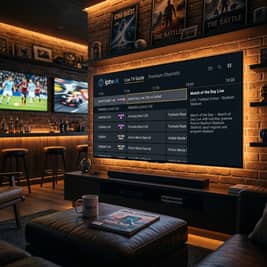
- EPG (Electronic Programme Guide): The on-screen TV guide showing what's on now and next. Your provider usually supplies an EPG URL separately.
- ISP Throttling: UK internet providers including BT, Sky, and Virgin can detect and slow down IPTV traffic, causing buffering even on fast connections. A VPN solves this.
- Minimum Internet Speed: HD streaming requires at least 10 Mbps per stream. 4K requires 25 Mbps. Test your speed at fast.com before blaming your IPTV provider.
- Device Compatibility: Amazon Firestick, Fire TV Cube, Android TV boxes (Nvidia Shield, Formuler Z8), Smart TVs with Android TV (Sony, Philips), and iOS/Android phones all support IPTV apps.
Step-by-Step Guide
- Step 1: Enable Apps from Unknown Sources:
- On your Firestick home screen, go to Settings, then My Fire TV, then Developer Options. Toggle Apps from Unknown Sources to ON and confirm the warning. Without this, you cannot install third-party IPTV players.
- Step 2: Install the Downloader App:
- Return to the home screen, go to the Search icon, and type Downloader. Select the orange Downloader app by AFTVnews and click Download. This free app lets you install any APK file using a URL.
- Step 3: Download TiviMate or IPTV Smarters Pro:
- Open Downloader and enter the URL for your preferred IPTV player. For TiviMate, visit tivimate.com on a browser to get the current APK link, or search for it in the Amazon Appstore directly. For IPTV Smarters Pro, go to the Amazon Appstore and download it for free. TiviMate is generally considered the superior option for UK IPTV users due to its EPG handling and recording features.
- Step 4: Launch Your IPTV Player and Add Your Playlist:
- Open TiviMate. On first launch, tap Add Playlist. Choose either M3U Playlist and paste in the M3U URL your UK IPTV provider sent you, or choose Xtream Codes and enter the server URL, username, and password. Tap Next and wait for the channel list to load — this can take 30–90 seconds depending on playlist size.
- Step 5: Add Your EPG Source:
- Inside TiviMate, go to Settings, then Playlists, then your playlist name, then EPG Source. Paste the EPG URL supplied by your provider. Set the refresh interval to every 24 hours. Tap Update EPG Now to load your programme guide immediately.
- Step 6: Organise Your Channels into Groups:
- Go to Settings, then Channels. Here you can hide groups you don't need, reorder favourites, and set default player settings. For 4K channels, navigate to Settings, then Player, choose the built-in player or VLC, and enable hardware decoding for smoother playback.
- Step 7: Test a Live Channel and a VOD Title:
- Go to your UK sports channels group and open a live channel. It should start within 3–5 seconds. Then test a VOD title from your library. If both load cleanly, your setup is complete. If you see buffering, jump to the troubleshooting section below.

Imagine setting everything up perfectly, settling onto the sofa for a Champions League final, and then spending the first half watching a buffering wheel because your ISP decided 7 PM is a great time to throttle your connection. That's a real scenario that happens to thousands of UK IPTV users every week. A paid VPN running on your router or Firestick eliminates this problem entirely by encrypting your traffic so your ISP can't identify or throttle it.
Best VPNs to Stop ISP Throttling for IPTV Service UK
ISP throttling is one of the biggest enemies of a smooth IPTV experience in the UK. ExpressVPN is consistently the fastest VPN for UK users — use the Lightway protocol for IPTV streaming and connect to a UK server to keep your EPG and geo-specific channels accurate. NordVPN is excellent for UK IPTV: enable NordLynx protocol in settings for the best speed, as their UK server cluster is large and rarely congested. Surfshark is the best budget option at around £2/month on annual plans, with unlimited simultaneous connections to protect every device in your home. Install your VPN on your router, not just on your Firestick, to protect every device on your network without needing individual app installs. Always run a speed test before and after connecting your VPN — a well-configured VPN on a fast server should reduce your speed by no more than 10–15%. If you're losing 50%+, switch servers.
TiviMate vs IPTV Smarters Pro: Which App Is Right for You?
Both apps work with any UK IPTV service provider that supplies M3U or Xtream Codes credentials, but they serve different users. TiviMate is the gold standard for Firestick and Android TV users — the free version is functional, but the Premium version (around £4/year) adds multi-playlist support, catch-up TV, recording, and a much cleaner EPG layout. IPTV Smarters Pro is better suited to beginners: the interface is more familiar to traditional TV viewers, it's free to download, and it supports both M3U and Xtream Codes out of the box with no additional purchase. GSE Smart IPTV is worth mentioning as a solid alternative for iOS users and those who want custom EPG mapping control. For UK sports fans specifically, TiviMate's ability to set a buffer time and use external players like MX Player or VLC gives you more control over stream quality during high-traffic events.
Network Requirements for 4K Streaming
Your IPTV experience lives or dies by your network setup. You need a minimum of 25 Mbps dedicated per 4K stream, meaning if two people in your house are streaming simultaneously, you need at least 50 Mbps of consistent bandwidth available for IPTV alone. Use a wired Ethernet connection wherever possible — Wi-Fi introduces packet loss and latency spikes that cause buffering even on fast broadband. If your Firestick only has Wi-Fi, use a USB Ethernet adapter (around £8 on Amazon). Router placement matters too: your streaming device should be in the same room as your router or connected via a powerline adapter, as walls and floors significantly degrade signal quality. Finally, log into your router admin panel (usually 192.168.1.1) and use QoS (Quality of Service) settings to prioritise traffic from your streaming device's MAC address, preventing other household devices from stealing bandwidth during streams.
Common Setup Mistakes & How to Fix Them
Even tech-savvy users run into these issues when setting up an IPTV service UK subscription for the first time. If your playlist loads but channels show a Stream Error, your M3U URL may have expired or your subscription lapsed — contact your provider for a refreshed URL, and also check that your device time and date are set correctly, as some server authentication systems reject connections from devices with incorrect system clocks. If your EPG shows wrong times or is completely blank, go to TiviMate Settings, then EPG, then Time Offset and set it to 0 for GMT or +1 for BST (British Summer Time, March–October). If only some channels load while others spin forever, this usually means your subscription package doesn't include those channels or the specific server hosting them is down — switch to a backup server URL if your provider offers one. If the app crashes when opening large playlists, large M3U files with 10,000+ channels can overwhelm underpowered devices, so disable channel groups you don't use in TiviMate settings to reduce the active playlist size.
Troubleshooting: Fixing Buffering and Playlist Errors
When your IPTV service UK setup isn't performing as expected, work through this checklist systematically. First, run a speed test using fast.com or speedtest.net directly on your Firestick or TV — if you're below 10 Mbps, the issue is your broadband, not your IPTV provider. Next, clear your app cache monthly by going to Settings, then Applications, then Manage Installed Applications, then TiviMate, then Clear Cache. Switch your DNS to 1.1.1.1 (Cloudflare) or 8.8.8.8 (Google) by going to Settings, then Network, then your Wi-Fi network, then Advanced, then DNS — your ISP's default DNS can add latency to IPTV stream requests. Try a different server URL if your main server is congested during peak hours, as most reputable UK IPTV providers offer backup server addresses. As a last resort, reinstall the IPTV app — corrupt installations cause random crashes and stream failures, so uninstall, reboot your device, and reinstall fresh.

Setting up a reliable IPTV service UK subscription doesn't have to be complicated, but it does require doing the basics correctly — the right app, a properly pasted M3U URL, a VPN running in the background, and a wired connection where possible. Get those four things right and you'll have a streaming setup that outperforms cable television at a fraction of the cost. Whether you're watching live Premier League on Saturday, catching up on a VOD series on a Tuesday night, or streaming in 4K on a big screen, check out our full channel list and pricing plans to find the subscription that fits your needs perfectly.
Frequently Asked Questions
Ready to get started?
Try our service risk-free with a 24-hour free trial.
Related Articles

Discover the Best UK IPTV Provider for 2026 Streaming Needs
Explore the best UK IPTV provider options for 2026.

Best IPTV Sports Subscriptions Compared for 2026
Find the top sports streaming packages with low latency, true 4K quality, and 99.9% uptime.
Is IPTV Legal Everything You Need to Know in 2026
Is IPTV legal? A clear breakdown of IPTV legality by country, what makes a provider legitimate, and how to stay on the right side of the law.