

Discover the Best IPTV TV Providers: Your 2026 Guide

Paying hundreds of dollars a year for cable TV while still missing half the channels you actually want to watch is a frustrating reality millions of households are finally walking away from. If you've been researching IPTV TV providers, you already know the promise: live sports, thousands of VOD titles, international channels, and premium content delivered straight to your Firestick, Smart TV, or Android box for a fraction of the cost. But the real challenge isn't finding a provider. It's knowing which ones actually deliver stable streams, which ones will leave you staring at a buffering wheel during the Super Bowl, and exactly how to set everything up correctly the first time. This guide breaks down everything from evaluating providers to configuring M3U playlists and Xtream Codes on TiviMate so you can cut the cord with confidence.
Choosing the right IPTV TV provider isn't just about price: it's about server reliability, channel count, VOD depth, and whether the provider uses anti-throttling infrastructure. A poorly chosen service can destroy your viewing experience even if your internet speed is perfect, which is why doing this research upfront matters enormously.
Core Concepts & Need-To-Know Info
- M3U Playlist / M3U URL: A file or link ending in .m3u or .m3u8 that contains all your channel streams. You paste this into your player app (TiviMate, IPTV Smarters, GSE) to load your subscription
- Xtream Codes API: A login-based format (server URL + username + password) that most modern IPTV apps support. It's more stable than raw M3U links and allows the provider to push updates automatically
- VOD (Video on Demand): The on-demand movie and TV show library included with most subscriptions. Quality providers include 30,000+ VOD titles
- EPG (Electronic Program Guide): The on-screen guide showing what's currently playing and what's coming up. Without a proper EPG URL, your IPTV app will show blank channel listings
- ISP Throttling: Your internet provider can detect and slow down IPTV traffic specifically, even if your overall connection is fast. This is one of the most common causes of buffering on otherwise solid connections
- Server Uptime & Load: Quality IPTV providers operate redundant servers with 99.9% uptime guarantees. Cheap services oversell server capacity, which causes buffering spikes during peak viewing hours
- Simultaneous Connections: Most subscriptions allow 1 to 3 simultaneous streams. Going over the limit will freeze your stream mid-show
Step-by-Step Guide
- Step 1: Enable Apps from Unknown Sources:
- Go to your Firestick's home screen and navigate to Settings, then My Fire TV, then Developer Options. Toggle Apps from Unknown Sources to ON. This allows you to install TiviMate and the Downloader app, which aren't available in the standard Amazon app store.
- Step 2: Install the Downloader App:
- Search the Amazon App Store for Downloader by AFTVnews and install it. Open the app, go to the URL bar, and type https://tivimate.com or the direct APK link your IPTV provider sends you. This tool is your gateway to sideloading any IPTV application onto the Firestick.
- Step 3: Install TiviMate IPTV Player:
- Using Downloader, navigate to the TiviMate APK download page and install the application. Once installed, open TiviMate and tap Add Playlist on the welcome screen. You'll see options for M3U URL or Xtream Codes: choose based on what your provider sent you.
- Step 4: Enter Your IPTV TV Provider Credentials:
- If using Xtream Codes, enter the server URL (for example http://yourprovider.com:8080), your username, and your password exactly as provided. A single typo here will return a playlist error that stumps most beginners. If using an M3U URL, paste the full link including any token parameters at the end.
- Step 5: Configure the EPG Source:
- After your playlist loads, go to TiviMate Settings, then EPG, then Add Source and paste the EPG URL your provider supplies. Set the refresh interval to every 12 hours. This populates your channel guide with accurate program information and enables the catch-up feature if your provider supports it.
- Step 6: Organize Your Channel Groups:
- Inside TiviMate, tap the menu and select Manage Playlists. Hide channel categories you don't need to reduce load times and make navigation faster. Pin your favorite sports packages, local news, and movie channels to the home screen for one-tap access.
- Step 7: Test Streams Before Your Trial Expires:
- Before committing to a paid subscription, request a 24 to 48 hour trial from your IPTV TV provider. Test at least 10 to 15 channels including a live sports stream during peak evening hours (7 to 10 PM). If streams load within 2 to 3 seconds and hold stable for 30+ minutes, the server quality is legitimate.
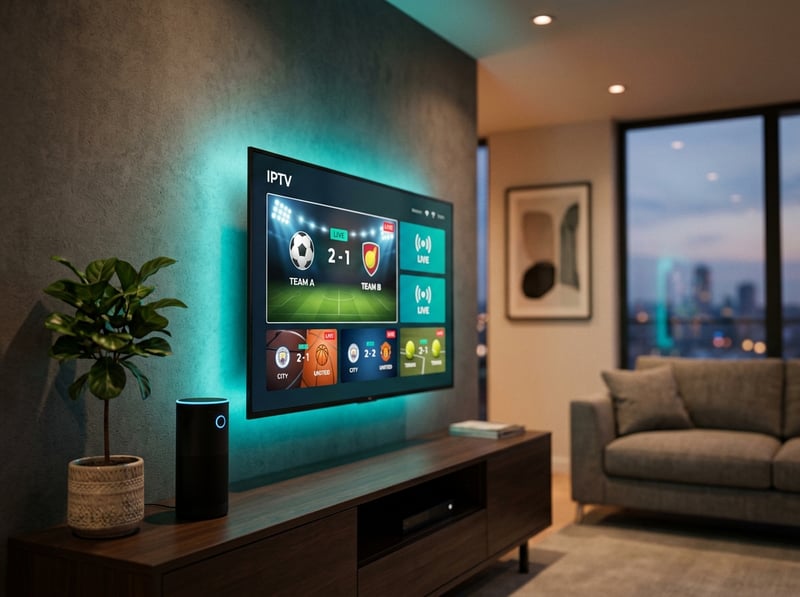
Imagine settling in for a Champions League final, snacks ready, and your stream freezes at minute 88: that's the real-world consequence of skipping the trial period and jumping straight to a year-long commitment with an untested provider. These aren't edge cases but industry-standard problems with budget services that proper vetting will help you completely avoid.
Best VPNs to Stop ISP Throttling on IPTV
ISP throttling is a silent stream-killer that most people never even identify correctly: they blame their IPTV TV provider when the real culprit is their internet company choking the connection. ExpressVPN is the gold standard for IPTV users: its MediaStreamer DNS technology and server network across 90+ countries delivers consistently fast speeds that eliminate throttling on Firestick, Android TV, and Smart TVs. NordVPN offers a dedicated streaming mode and SmartPlay feature that routes IPTV traffic intelligently, with a double-VPN feature for users in restrictive regions who need both privacy and speed. Surfshark is the best budget-friendly option with unlimited simultaneous device connections for under $3/month on longer plans. Always connect your VPN before opening your IPTV app, and choose a VPN server in the same country as your IPTV provider's server location to minimize latency and reduce buffering probability.
Recommended Apps: TiviMate vs IPTV Smarters Pro
TiviMate is the undisputed champion for power users: its buffer management, EPG integration, multi-screen view, and catch-up playback work flawlessly with both Xtream Codes and M3U playlists, and the $4.99/year premium unlock is the best value purchase in IPTV. IPTV Smarters Pro is better for beginners or households sharing one account, as its multi-profile feature lets different family members access different channel categories under one subscription credential without interfering with each other. GSE Smart IPTV is the go-to choice for iOS users and anyone running a custom M3U playlist from multiple providers simultaneously. For MAG box users, the built-in portal system bypasses app installation entirely: just enter your provider's portal URL in the MAG device settings and you're streaming within 60 seconds. Perfect Player is a legacy option worth mentioning for Android TV users who prefer a classic grid-style EPG layout reminiscent of traditional cable guides.
Network Requirements for 4K IPTV Streaming
Your IPTV TV provider might offer 4K streams, but your home network has to actually support them. SD quality requires 5 Mbps, HD (1080p) needs 10 to 15 Mbps, and true 4K IPTV streaming demands a stable 25 to 50 Mbps dedicated to the stream alone, not your total internet plan speed. A direct Ethernet connection from your router to your Firestick via an Ethernet adapter eliminates the single biggest source of home network variability, as Wi-Fi interference and competing devices on the 2.4 GHz band cause exactly the kind of intermittent buffering that frustrates IPTV users most. If you must use Wi-Fi, switch to the 5 GHz band and ensure your streaming device is within 20 feet of the router with minimal walls in between. QoS (Quality of Service) settings on modern routers let you prioritize IPTV traffic over other devices by logging into your router admin panel (usually 192.168.1.1) and setting your Firestick's MAC address as the highest priority device.
Troubleshooting Common Playlist Errors
Even with a quality IPTV TV provider, technical hiccups happen. A Playlist Failed to Load error almost always means your M3U URL or Xtream Codes credentials have expired or your trial period ended: contact your provider for a fresh URL, and if credentials are correct, check whether your VPN is blocking the provider's server port. Channels loading but showing a black screen typically indicates a codec incompatibility: in TiviMate, go to Settings, then Player, and switch from the default player to ExoPlayer or VLC Player. EPG showing wrong times or a blank guide means you should delete and re-add your EPG source URL, or use a third-party EPG source like XMLTV if the provider's server is down. Random stream drops every 30 to 60 minutes are usually a server timeout issue: enable Reconnect on Error in TiviMate settings and set the reconnection timer to 5 seconds. If some channels are missing from your playlist, force-refresh it in TiviMate by going to Playlists, selecting your playlist name, and tapping Refresh Now.

The IPTV landscape in 2025 has matured significantly: quality IPTV TV providers now offer rock-solid server infrastructure, massive VOD libraries, and 4K live streams that genuinely compete with and often surpass traditional cable packages. The difference between a frustrating experience and a flawless one comes down to choosing the right provider, setting up your app correctly, protecting your connection with a VPN, and knowing how to troubleshoot the handful of issues that occasionally come up: follow every step in this guide and explore our channel list and pricing plans to find the perfect subscription for your needs.
Frequently Asked Questions
Ready to get started?
Try our service risk-free with a 24-hour free trial.
Related Articles
Exploring One IPTV: Your Complete Guide for 2026 Streaming
Unlock the potential of One IPTV with our in-depth review.

Discover the Best Free Trial IPTV UK Options for 2026
Unlock the best free trial IPTV services in the UK.

Discover the Best IPTV Apps for 2026: Top Choices Reviewed
Find the best IPTV apps of 2026 to elevate your streaming.