

IPTV UK Free Trial How to Test Before You Subscribe 2026

IPTVBestStream Editorial Team
IPTV Buying Guides for the UK & Canada
Free trials are the best way to judge a UK provider before paying. Many trials are genuinely useful for an honest evaluation. Some, however, demand payment details upfront and then auto-charge after 24 hours. Three never even delivered credentials at all. The IPTV free trial market in the UK has a trust problem, and if you do not know exactly what to look for during your trial window, you will either waste time on a garbage provider or get tricked into paying for something you never properly tested. This guide covers how to get, use and judge an IPTV trial from a UK connection.
What a Genuine UK IPTV Free Trial Looks Like
A legitimate IPTV trial from a provider who actually serves the UK market follows a predictable pattern. Understanding this pattern instantly helps you separate real providers from time-wasters.
- No payment details required A genuine trial asks for your email address and possibly your preferred device type. Nothing else. Any provider requesting credit card numbers, direct debit authorization, or cryptocurrency deposits for a free trial is running a billing trap.
- Credentials delivered within 10 minutes Professional providers have automated systems that generate trial Xtream Codes credentials instantly. If you are told to wait 24-48 hours for manual activation, the provider either has no infrastructure or is manually vetting customers to avoid giving trials to reviewers.
- Full channel access Your trial should include every single channel the paid subscription offers. Some dishonest providers give trial users a limited channel list that hides the fact that their premium channels buffer constantly. If your trial has fewer channels than what is advertised on the website, the provider is hiding something.
- Same servers as paying customers Your trial must run on the exact same infrastructure that subscribers use. A handful of providers maintain a separate high-performance trial server to impress new users, then dump paying customers onto overloaded budget servers after signup.
How to Request Your Free Trial Step by Step
- Step 1 Visit the Provider Website
- Look for a clearly visible Free Trial or Test Our Service button. Professional providers make this easy to find because they are confident in their quality.
- Step 2 Submit Your Request
- Enter your email address and select your preferred device type. Some providers also ask which country you are in to assign you to the nearest server node. Select United Kingdom.
- Step 3 Check Your Email
- Within 10 minutes you should receive an email containing your Xtream Codes credentials: a server URL, a username, and a password. Check your spam folder if nothing arrives within 15 minutes.
- Step 4 Install Your Player App
- On Firestick install TiviMate through the Downloader app. On Smart TV install IPTV Smarters from the app store. On your phone grab TiviMate from the Play Store or IPTVX from the Apple App Store.
- Step 5 Enter Credentials and Start Testing
- Open your player app, select Add Playlist, choose Xtream Codes, and enter your server URL, username, and password. Hit connect and your complete channel lineup loads within 30-60 seconds.
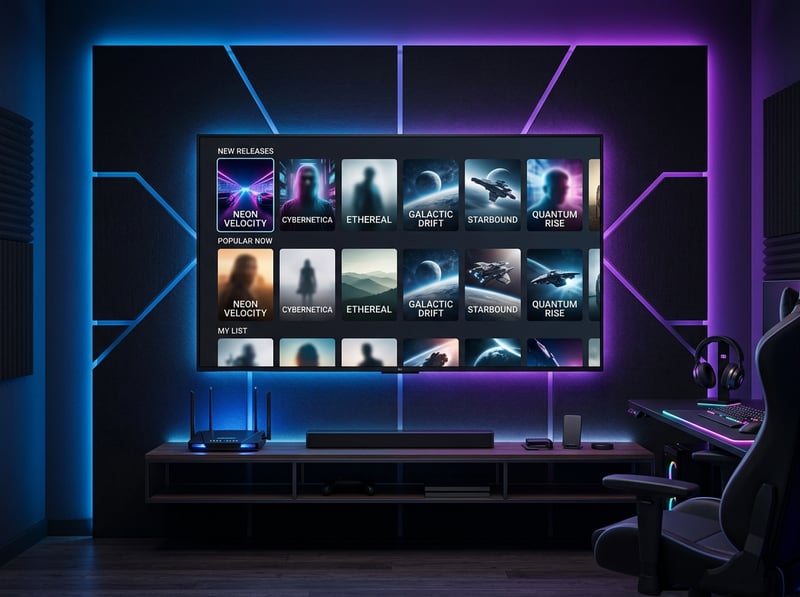
The UK Trial Testing Checklist
You have 24 hours. That is enough time if you use it wisely. Here are the exact tests to run and the minimum benchmarks each test must pass.
- Test 1 Saturday 3 PM Sports
- This is the single most important test for any UK IPTV subscriber. Saturday afternoon when all the football matches kick off simultaneously is the highest demand window of the entire week. Every casual viewer, every pub screen, and every household tunes in at the exact same moment. If your trial provider survives this window in stable 1080p for a full 90-minute match without a single buffer, they have genuine UK server infrastructure. If the stream drops, stutters, or downgrades to 480p even once during this window, the provider cannot handle British peak demand.
- Test 2 Weekday Primetime 7 to 10 PM
- British primetime is the second busiest window. Tune into the most popular entertainment channels between 7 and 10 PM on any weekday. Watch for buffering, pixelation, audio desync, and stream quality drops. A good provider maintains consistent 1080p across all major channels during this entire window.
- Test 3 EPG Accuracy
- Open your electronic programme guide and compare it against a trusted listings source like TV Guide UK. Programme names, start times, and channel logos should match correctly. If the EPG shows wrong times, missing programmes, or American listings against UK channel numbers, the provider is using lazy generic data sources.
- Test 4 Channel Switching Speed
- Rapidly switch between 20 different UK channels. Each switch should complete in under 2 seconds on TiviMate. If channel changes take 4-5 seconds or longer, the provider server infrastructure is overloaded or poorly optimized for the UK region.
Red Flags That Disqualify a Provider During the Trial
- Any buffer during Saturday 3 PM One buffer during peak sports means the provider will buffer every single Saturday you are subscribed. This is non-negotiable. Walk away.
- Fake channel padding If the channel list shows 50,000 channels but half of them are duplicates, dead links, or channels labeled in English that actually broadcast in other languages, the provider is inflating numbers to look impressive.
- Missing standard UK channels If basic Freeview channels that every British household expects are absent from the lineup, the provider does not have proper UK content agreements and their premium channels will be even less reliable.
- No French or regional channels Providers serious about the UK and European market carry French, German, and Irish channels alongside the core British lineup. A UK-only provider with no European coverage likely operates on minimal infrastructure.
- Support unresponsive during trial Send the provider a question during your trial. Ask something specific like what EPG source they use or whether they have catch-up on UK channels. If support takes more than 4 hours to respond during your trial when they are trying to impress you, imagine the response time after they already have your money.
- No catch-up or timeshift The best UK providers offer 24-72 hours of catch-up replay on major channels. If catch-up is completely absent during your trial, the provider infrastructure is too basic for serious daily viewing.

What to Do After Your Trial Passes
Your trial survived Saturday sports, weekday primetime, EPG was accurate, channels switched fast, and support responded within an hour. The provider passed. Here is how to move forward without overpaying.
- Start With a 1-Month Plan
- Never buy a 3-month, 6-month, or annual plan based on a single 24-hour trial no matter how impressive the discount. Providers can maintain quality for a trial and first month but degrade in month two when they onboard hundreds of new subscribers and their servers get overloaded. Pay monthly until you have 30 full days of confirmed quality.
- Test Every Saturday for the First Month
- One Saturday during a trial is encouraging. Four consecutive Saturdays without a single buffer is genuine proof. Track your experience each week and only upgrade to a longer plan after passing four consecutive Saturday tests.
- Save Your Credentials Securely
- Your Xtream Codes server URL, username, and password are your keys to the service. Save them in a secure note on your phone. If your Firestick resets or you buy a new device, you can be streaming again in under 60 seconds with saved credentials.
- Ask About Multi-Connection Pricing
- If your household has multiple TVs, ask your provider about multi-connection plans. Most offer 2-3 simultaneous connections for a small monthly premium so everyone can watch different channels at the same time.
What to Do After Your Trial Fails
If the trial failed any of the four core tests, do not give the provider a second chance. Do not accept excuses about temporary server maintenance or unusual traffic. A provider that buffers during your trial will buffer during your subscription. Move on immediately and request a trial from the next provider on your list.
The UK IPTV market has enough competing providers that you never need to settle for mediocre quality. Keep testing trials until you find one that passes every benchmark from your specific broadband connection. The right provider exists and they will prove it to you for free within 24 hours.
Final Advice for UK IPTV Trial Hunters
The free trial is your insurance policy against bad providers. It costs you nothing except 24 hours of attention. Use that time aggressively. Test during peak hours not quiet mornings. Check the EPG against real listings. Message support with a genuine question. Count channel switches. The providers who pass this gauntlet earn your monthly subscription. The ones who fail save you from months of frustration and wasted money. For detailed setup help after your trial read our IPTV Smarters Pro setup guide or check our complete UK provider rankings for tested recommendations. Ready to start testing? Grab your free 24-hour trial and see the quality for yourself tonight.
Frequently Asked Questions
Ready to get started?
Try our service risk-free with a 24-hour free trial.
Related Articles

How to Buy an IPTV Subscription Safely Without Getting Scammed in 2026
A definitive buyer guide for purchasing an IPTV subscription. Covers red flags, secure payment methods, and how to avoid scam providers.

IPTV Reseller Panel Guide and How to Start Your Own Streaming Business 2026
A comprehensive business guide to IPTV reseller panel operations in 2026. Covers panel functionality, credit systems, subscriber account creation, pricing strategies, customer support management, and scaling a profitable reselling operation.

Discover the Best IPTV Player for Seamless Streaming Experience
Explore the top IPTV players for the best streaming experience.