
Best Soundbar Under 200 Dollars and What to Look for Before You Buy

IPTVBestStream Editorial Team
IPTV Buying Guides for the UK & Canada
Best Soundbar Under 200 Dollars and What to Look for Before You Buy
You spent carefully on your television. You researched panel types and resolution and HDR and picked the best screen your budget could afford. The picture is gorgeous. Then you turned it on and the audio that came out of those beautiful thin bezels sounded like a phone call played through a tin can. Dialogue mumbles beneath background music. Bass is nonexistent. Action scenes produce a flat wall of distorted sound at higher volumes. The visual experience your television delivers is undermined entirely by audio quality that does not belong in the same room as the picture.
This audio disappointment is universal across virtually every modern television regardless of brand or price. A two thousand dollar TV often sounds barely better than a three hundred dollar TV because both face the same physical constraint. Thin panels leave no space for speakers large enough to move sufficient air for full-range sound reproduction. The laws of physics cannot be bypassed by price or brand prestige. Good audio requires speaker drivers with enough surface area and enclosure volume to produce bass and mid-range frequencies at adequate levels. No TV panel thin enough to hang flush on a wall provides this.
A soundbar fixes this completely. A dedicated sound system designed specifically for television audio produces the full-range sound your TV was never designed to deliver. The market under two hundred dollars contains soundbars that transform your television audio experience so dramatically that the upgrade feels like buying an entirely new entertainment system. This guide examines what separates genuinely good budget soundbars from disappointing ones so your money goes toward a product that delivers the audio transformation your television deserves.
Channel Configuration and What 2.0 and 2.1 and 3.1 Actually Mean
Soundbar channel configuration describes how many distinct audio channels the system produces. The numbers describe left channels and right channels and subwoofer channels in a format like 2.1 where the first number is stereo channels and the number after the decimal is the subwoofer. Understanding what each configuration delivers helps you evaluate whether a specific model provides the audio experience you want.
A 2.0 soundbar contains two channels producing stereo left and right audio without a subwoofer. These are the simplest and least expensive soundbars. The stereo separation provides a wider soundstage than TV speakers and the dedicated drivers produce clearer audio across the frequency range. However without a subwoofer bass frequencies rely entirely on the small drivers inside the soundbar which limits low-end response. Music and dialogue sound significantly better than TV speakers but explosions and deep musical bass lack physical impact.
A 2.1 system adds a dedicated subwoofer to the stereo soundbar. The subwoofer handles all bass frequencies below approximately 100 to 200 hertz freeing the soundbar drivers to focus on mid-range and treble frequencies where they perform best. This division of labor produces dramatically better audio than a 2.0 system because each component handles the frequency range it is physically designed to reproduce. The subwoofer adds the physical bass impact that makes movie sound effects feel powerful and music bass lines feel present in the room.
A 3.1 system adds a dedicated center channel driver to the 2.1 configuration. The center channel handles dialogue specifically anchoring voices to the center of the screen where the characters appear. This dedicated dialogue channel improves speech clarity during scenes with simultaneous background music and sound effects because the dialogue is not competing with other sounds for the same speaker driver. For viewers who struggle with dialogue intelligibility on their current setup the center channel provides the most meaningful upgrade.
Why the Included Subwoofer Makes or Breaks the Experience
The single most impactful component in a budget soundbar system is the subwoofer. Its presence or absence creates a larger difference in perceived sound quality than any other specification at this price point. A mediocre soundbar paired with a decent subwoofer sounds better than an excellent soundbar without one because bass frequencies require physical speaker cone displacement that no slim soundbar enclosure can produce adequately.
Budget soundbar systems that include a wireless subwoofer deliver the subwoofer audio through a wireless connection between the soundbar and the subwoofer unit. This wireless link eliminates the need for a cable running from the soundbar to wherever you position the subwoofer. Place the subwoofer on the floor near your entertainment center or beside your couch or in a corner of the room. Bass frequencies are non-directional meaning your ears cannot pinpoint where bass comes from so the subwoofer placement is flexible without affecting the perceived audio positioning.
Subwoofers included with systems under two hundred dollars typically contain a five to six and a half inch driver in a compact enclosure. These compact subwoofers do not produce the deep rumbling bass of larger premium subwoofers but they produce meaningful bass extension that a soundbar alone cannot approach. The difference between hearing an explosion and feeling the physical pressure of low-frequency sound in your chest defines the subwoofer contribution to the movie watching experience.
Soundbar-only models without subwoofers sometimes claim bass enhancement through digital signal processing that boosts low frequencies through the existing small drivers. This processing adds a slight sensation of bass but cannot replicate the physical air displacement that a dedicated subwoofer produces. If your budget allows choose the 2.1 system with subwoofer over the 2.0 soundbar-only model at every price point. The subwoofer transforms the audio from good to genuinely impressive.
HDMI ARC Connection and Why It Is the Only Setup Method You Should Use
Soundbars connect to televisions through several methods but HDMI ARC provides the simplest setup and best functionality. ARC stands for Audio Return Channel and it sends audio from the TV to the soundbar through the same HDMI cable that carries video signals. A single HDMI cable between the TV ARC port and the soundbar ARC port handles all audio transmission and allows your TV remote to control soundbar volume automatically.
Connect one end of an HDMI cable to the HDMI ARC port on your TV. Most TVs label this port specifically as ARC or eARC. Connect the other end to the HDMI ARC port on your soundbar. Turn on both devices. The TV detects the soundbar through the HDMI connection and routes audio to it automatically. Your TV remote now controls the soundbar volume through a protocol called CEC that sends control commands through the HDMI cable. No additional remote needed. No separate volume control to manage. One remote controls everything.
eARC is an enhanced version of ARC that supports higher quality audio formats including lossless surround sound and immersive audio. Budget soundbars under two hundred dollars rarely decode these advanced formats so standard ARC provides identical practical functionality to eARC at this price point. If your TV has both ARC and eARC ports either works with a budget soundbar.
Optical audio cable connection is the secondary connection method available on most soundbars. Optical carries audio from the TV to the soundbar through a fiber optic cable. This method works but does not support CEC remote control meaning you need two remotes. One for the TV and one for the soundbar. The inconvenience of managing two remotes during daily viewing makes HDMI ARC the clearly superior connection method for everyday use.
Bluetooth and Wi-Fi Connectivity for Music Streaming
Most soundbars under two hundred dollars include Bluetooth connectivity that allows wireless audio streaming from phones tablets and computers. This secondary function transforms your soundbar from a TV-only audio system into a room speaker that plays music podcasts and any other audio content from your mobile devices.
Pairing your phone to the soundbar through Bluetooth takes thirty seconds. Switch the soundbar input to Bluetooth mode using the remote or a button on the soundbar. Open Bluetooth settings on your phone. Select the soundbar from the discovered devices list. The devices pair and your phone audio streams through the soundbar speakers and subwoofer. Music played through the soundbar fills the room with dramatically better sound than your phone speaker producing a casual listening experience that rivals dedicated wireless speakers.
Some budget soundbars include Wi-Fi connectivity that enables integration with voice assistant ecosystems. These Wi-Fi-enabled soundbars appear as speakers within your smart home system allowing voice-controlled music playback and multi-room audio grouping with other compatible speakers in your home. Wi-Fi audio streaming also provides higher quality than Bluetooth because Wi-Fi supports higher bitrate audio transmission without the compression that Bluetooth applies.
The Bluetooth range of most budget soundbars extends approximately thirty feet which covers most living room and bedroom distances. Walls and obstacles reduce effective range. If your phone is in a different room from the soundbar the Bluetooth connection may drop intermittently. For reliable streaming keep the phone in the same room as the soundbar. Wi-Fi connected soundbars do not have this range limitation because they communicate through your home network infrastructure rather than a direct device-to-device wireless link.
Dialogue Clarity and Night Mode Features That Matter for Daily Viewing
The most practically valuable feature on a budget soundbar is dialogue enhancement or clear voice mode. This audio processing boosts the frequency range where human speech sits while slightly reducing background frequencies that compete with dialogue. The result is noticeably clearer speech during scenes where music sound effects and dialogue play simultaneously which is the exact scenario where TV speakers fail most dramatically.
Night mode or late-night mode is equally valuable for households that watch television during hours when loud sound would disturb sleeping family members or neighbors. Night mode compresses the dynamic range of the audio reducing the volume of loud peaks like explosions and music while maintaining dialogue at an audible level. Without night mode you constantly adjust volume. Turn it up to hear quiet dialogue. Turn it down when an action sequence blasts at twice the dialogue volume. Night mode eliminates this constant adjustment by keeping all audio within a narrow comfortable volume range.
Test dialogue clarity before committing to a specific soundbar if possible. Play a scene from a movie with dialogue over background music and sound effects. Listen for whether you can understand every word without straining. Budget soundbars vary significantly in dialogue clarity despite similar specifications because driver quality crossover tuning and enclosure design affect mid-range reproduction differently across models. The model that produces the clearest speech delivers the most satisfying daily viewing experience regardless of its other specifications.
EQ presets for different content types provide additional audio optimization. A movie preset boosts bass and widens the soundstage. A music preset emphasizes mid-range clarity and stereo separation. A news or voice preset prioritizes speech frequencies. Switching between presets based on what you are watching optimizes the audio processing for each content type without manual equalizer adjustment. Most budget soundbars include three to five presets accessible through the remote control.
Soundbar Placement and Size Matching for Your TV and Room
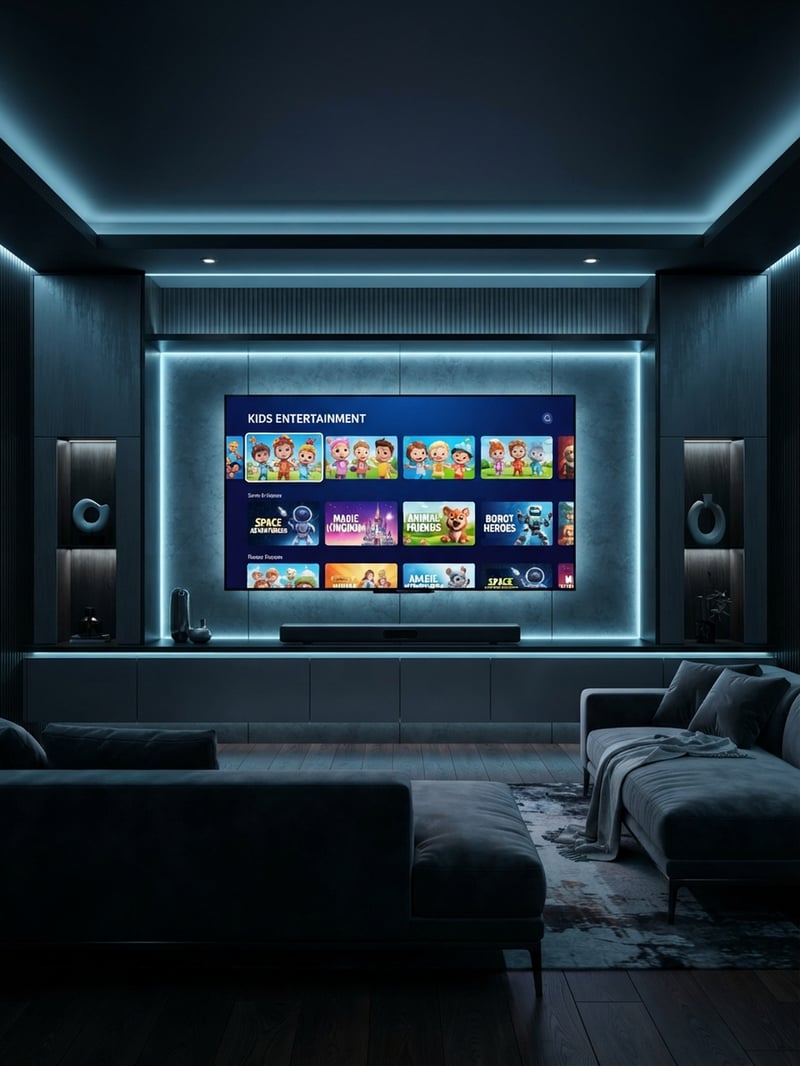
Soundbar physical size should complement your television size both aesthetically and acoustically. A soundbar significantly wider than your TV looks disproportionate on a stand and a soundbar too narrow for a large TV produces a soundstage that feels disconnected from the screen width. Matching the soundbar length to approximately seventy-five to one hundred percent of your TV width produces the most natural audio imaging where sounds appear to originate from the screen.
For TVs forty-three inches and smaller a soundbar measuring twenty-eight to thirty-two inches wide provides appropriate proportional sizing. For fifty to fifty-five inch TVs a soundbar measuring thirty-six to forty inches wide matches well. For sixty-five inch and larger TVs a soundbar measuring forty to forty-five inches wide provides proportional width coverage. Most soundbar product descriptions include the length measurement. Compare this against your TV stand width and TV screen width before purchasing.
Position the soundbar directly below or immediately in front of your TV with the soundbar centered on the screen. If your TV sits on a stand place the soundbar on the stand in front of the TV base. Ensure the soundbar does not block the TV infrared sensor which is typically a small dark window on the bottom bezel of the screen. If the soundbar blocks the sensor angle the soundbar slightly or use a small spacer to elevate the TV above the soundbar line.
Wall mounting the soundbar below a wall-mounted TV creates the cleanest installation with both the TV and soundbar flush against the wall. Many budget soundbars include wall mounting hardware in the box. Mount the soundbar two to four inches below the TV bottom edge centered horizontally with the screen. The close proximity between the TV and soundbar ensures audio appears to emanate from the screen rather than from a separate device below it creating a cohesive audio-visual experience.
What the Wattage Numbers Actually Mean and Why You Should Mostly Ignore Them
Soundbar product listings prominently display wattage numbers as a primary selling point. 100 watts. 200 watts. 300 watts. The implication is that higher wattage means better louder more impressive sound. At the budget price point this implication is largely misleading and using wattage as a primary comparison metric leads to poor purchasing decisions.
Wattage measures the electrical power the amplifier delivers to the speaker drivers. Higher wattage can produce louder maximum volume. But loudness is not the same as sound quality. A soundbar rated at 200 watts that uses low-quality drivers in a poorly designed enclosure sounds worse than a soundbar rated at 100 watts with better drivers and superior acoustic engineering. The driver quality enclosure design and digital signal processing determine perceived sound quality far more than raw amplifier wattage at budget price points.
Additionally wattage measurement methods vary between manufacturers. Some quote peak wattage which is the absolute maximum the amplifier can produce for brief moments. Others quote RMS wattage which is the continuous sustainable output. A soundbar quoting 300 watts peak may produce less continuous power than a soundbar quoting 150 watts RMS. Without consistent measurement standards across manufacturers wattage comparisons between brands are unreliable.
Instead of comparing wattage numbers evaluate soundbars by reading user reviews that describe actual listening experience. Reviews mentioning clear dialogue rich bass and room-filling sound at comfortable volumes indicate genuine audio quality regardless of the wattage specification. Reviews mentioning harsh treble muddy bass and distortion at higher volumes indicate poor audio quality regardless of how impressive the wattage number appears on the product listing. Real-world listening performance rather than electrical specifications determines whether a soundbar satisfies your ears and enhances your television experience.
Frequently Asked Questions
Ready to get started?
Try our service risk-free with a 24-hour free trial.
Related Articles
Discover the Best IPTV Subscriptions for 2026: Your Ultimate Guide
Uncover the best IPTV subscriptions and tips for 2026.
Discover the Best IPTV TV Providers: Your 2026 Guide
A complete guide to the best IPTV TV providers in 2026.
Exploring One IPTV: Your Complete Guide for 2026 Streaming
Unlock the potential of One IPTV with our in-depth review.