

Discover the Best IPTV Providers in the UK for 2026

Sick of paying £60+ a month for a Sky or Virgin Media bundle that still doesn't carry half the channels you actually want to watch? You're not alone. Thousands of UK viewers are quietly switching to IPTV providers in UK and getting 10,000+ channels, full VOD libraries, and live Premier League football for a fraction of the price, all streaming directly to their Firestick, Smart TV, or Android box. The problem is, the market is absolutely flooded with dodgy services, resellers with no support, and providers that buffer every five minutes during match day. This guide cuts through all of that and gives you exactly what you need to find, test, and set up a reliable IPTV service in the UK right now.
Solving your TV setup problem isn't just about saving money, it's about getting a genuinely better viewing experience. When your IPTV service is configured correctly on the right hardware, it performs better than traditional satellite or cable for most everyday viewing.
Core Concepts & Need-To-Know Info
- M3U Playlist URL: A web link your IPTV provider gives you. Apps like TiviMate or IPTV Smarters load this URL and pull down your entire channel list automatically.
- Xtream Codes API: An alternative login method (Server URL, Username, Password) used by most serious IPTV providers. It's more stable than M3U for large channel lists.
- EPG (Electronic Programme Guide): The on-screen TV guide. Good IPTV providers supply a dedicated EPG URL so you see programme schedules just like on regular TV.
- VOD (Video On Demand): The movies and catch-up TV section of your subscription. Quality providers update their VOD library daily.
- ISP Throttling: Your UK internet provider (Sky, BT, Virgin) can detect and deliberately slow down IPTV streaming traffic. This is one of the biggest causes of buffering in the UK specifically.
- VPN: A Virtual Private Network encrypts your traffic and hides it from your ISP, effectively stopping throttling and improving stream stability.
- Panel/Reseller: Many IPTV services in the UK are resellers who purchase access from a larger server farm. This affects reliability, always test before committing.
- Catch-Up TV: Some premium IPTV providers include 7-day catch-up on major UK channels like BBC One, ITV, and Channel 4.
Step-by-Step Guide: Setting Up IPTV Providers in UK on Your Device
- Step 1: Choose and Purchase Your Subscription:
- Research IPTV providers in UK thoroughly before buying. Look for providers offering a free trial (even 24-48 hours), UK-based server infrastructure, and responsive customer support via Telegram or WhatsApp. Once you've selected your provider, you'll receive an email containing either your M3U URL or your Xtream Codes credentials (server URL, username, and password).
- Step 2: Install Your Preferred IPTV App:
- On a Firestick, press the Search icon on your home screen and search for "Downloader." Install the Downloader app, then go to Settings > My Fire TV > Developer Options and enable "Apps from Unknown Sources." Use Downloader to navigate to the TiviMate Companion website or grab IPTV Smarters Pro directly from the Amazon App Store. On a Smart TV (Samsung or LG), open the app store and search for "IPTV Smarters" or "GSE Smart IPTV."
- Step 3: Open the App and Select Your Login Method:
- Launch TiviMate or Smarters Pro. You'll be asked how you want to add your playlist. If your provider gave you an M3U URL, select "M3U URL" and paste the full link carefully, even one wrong character will break the connection. If you have Xtream Codes credentials, select "Xtream Codes API" and enter your server address, username, and password exactly as provided.
- Step 4: Load Your EPG (Electronic Programme Guide):
- Inside the app settings, find the EPG or TV Guide section. Paste the EPG URL supplied by your provider. Set the refresh interval to every 24 hours. This populates your channel guide with real-time programme information, making navigation much smoother.
- Step 5: Organise Your Channel List:
- Most apps let you create favourites groups. Add your most-watched channels, UK news, sports, entertainment, to a Favourites playlist for quick access. In TiviMate, long-press any channel and select "Add to Favourites." This saves you scrolling through thousands of channels every time.
- Step 6: Test Streams and Confirm Quality:
- Before your trial expires, test channels across different categories: a live Premier League match, a 4K stream if available, a VOD title, and a catch-up programme. Note any buffering or loading issues. If streams stutter consistently, the issue is likely ISP throttling, move to Step 7.
- Step 7: Connect a VPN if You Experience Buffering:
- Install a trusted VPN app (ExpressVPN or NordVPN work excellently on Firestick). Connect to a UK server first, then re-test your streams. If buffering disappears, your ISP was throttling your traffic. Keep the VPN active whenever you stream.

ISP throttling is a very real issue for UK IPTV users, particularly on BT, Sky Broadband, and TalkTalk networks. These providers use Deep Packet Inspection (DPI) to identify streaming traffic and reduce its priority during peak evening hours, precisely when you want to watch live TV. A reputable VPN running on your Firestick or router-level eliminates this problem completely.
Best VPNs to Stop ISP Throttling for UK IPTV
- ExpressVPN: Consistently the top performer for Firestick and Android TV. Its Lightway protocol delivers fast, stable connections with minimal speed loss. UK servers are reliable and fast enough for 4K VOD.
- NordVPN: Excellent server network across the UK, with NordLynx protocol delivering exceptional speeds. Their Threat Protection feature also blocks unwanted ads that some IPTV apps inject.
- Surfshark: The best budget option for IPTV users in UK. Unlimited simultaneous connections means you can protect every streaming device in your home on one subscription.
- IPVanish: Particularly popular in the IPTV community because it allows unlimited device connections and has a dedicated Firestick app that's extremely easy to configure.
- Always test your VPN before match day: Connect to your VPN, run a speed test, then load a live channel during a quiet period. Confirm everything works perfectly before the big game kicks off.
Common Setup Mistakes & How to Fix Them
- Wrong EPG timezone setting: If your TV guide shows programmes listed at the wrong times, go into your app's EPG settings and manually set the timezone to GMT or BST depending on the season. This fixes schedule mismatches instantly.
- Using an outdated M3U URL: Providers occasionally update their servers and issue new M3U links. If your channels suddenly stop loading after working fine for weeks, contact your provider for a fresh URL before assuming the service is down.
- Low buffer size in the app: In TiviMate, go to Settings > Player > select your video player (ExoPlayer or MX Player) and increase the buffer size to at least 10 seconds. This smooths out brief connection drops without a visible interruption.
- Not clearing app cache: Over time, cached data builds up and causes apps to freeze or crash. On a Firestick, go to Settings > Applications > Manage Installed Applications > your IPTV app > Clear Cache. Do this monthly.
- Connecting over Wi-Fi instead of Ethernet: Wi-Fi introduces inconsistency. For the best IPTV experience on a Firestick or Android TV box, use a USB-to-Ethernet adapter and plug directly into your router.
Recommended Apps: TiviMate vs IPTV Smarters Pro
- TiviMate: The gold standard for a true TV-like experience. Its interface mimics a proper EPG, navigation is smooth, and the paid Premium version (around £4/year) unlocks multiple playlists, catch-up TV, and automatic EPG refresh. It's the best choice for Firestick and Android TV boxes.
- IPTV Smarters Pro: Free on most platforms and incredibly versatile. It works on iOS, Android, Smart TVs, and PC, making it ideal if you want one app across all your devices. Setup with Xtream Codes is particularly clean and straightforward.
- GSE Smart IPTV: Worth considering if you're on an older Smart TV that doesn't support the above apps. It handles M3U playlists reliably and has solid EPG support.
- For pure beginners: Start with IPTV Smarters Pro using Xtream Codes. The interface is intuitive and you'll be watching live TV within 10 minutes of opening the app.
Network Requirements for 4K Streaming
- Minimum internet speed: 50 Mbps download for a single 4K stream. If others in your household are gaming or video calling simultaneously, aim for 100 Mbps or higher.
- Router placement matters: Your router should be as close to your streaming device as possible if using Wi-Fi, or use a powerline adapter to extend your wired connection to your TV room without running cables.
- Use a capable streaming device: Older Firestick models (1st and 2nd generation) cannot handle 4K streams. You need at minimum a Fire TV Stick 4K, Fire TV Stick 4K Max, or an Android TV box with a decent processor like the Amlogic S905X4.
- Check your provider supports 4K: Not every IPTV provider in UK offers genuine 4K streams. Look specifically for providers advertising 4K UHD channels and confirm your subscription tier includes them.
Troubleshooting: Fixing Playlist and Stream Errors
- Playlist is empty error: This almost always means your M3U URL has expired or been updated by the provider. Log into your provider's customer panel or contact support to get a refreshed link.
- Channels loading but showing a black screen: This typically indicates a codec issue. In TiviMate or Smarters, switch your video player from the default ExoPlayer to MX Player. Go to Settings > Player and toggle between available options until the stream plays correctly.
- Specific channels buffering while others work fine: Some channels are on different server nodes. Check if your provider offers a backup server URL, or contact them to report the specific channel. Premium providers fix server-level issues within hours.
- App crashing on startup after an update: Uninstall the app, clear residual data from your device settings, and reinstall the latest version fresh. Re-enter your credentials rather than restoring a backup.
- EPG not loading or showing: Double-check the EPG URL is correct and hasn't changed. In TiviMate, go to Settings > EPG > Update EPG and force a manual refresh. Allow up to 10 minutes for large EPG files to fully load.

The UK IPTV market has matured significantly, and there are genuinely excellent services out there that deliver a premium viewing experience at a fraction of traditional TV costs. The key is taking 30 minutes to set everything up correctly, the right app, a proper VPN, your EPG configured, and your network optimised, rather than just plugging in and hoping for the best. Do that, and the best IPTV providers in UK will give you a viewing experience that comfortably beats anything Sky or Virgin can offer at twice the price. Check out our full channel list and pricing plans to find the perfect subscription for your needs.
Frequently Asked Questions
Ready to get started?
Try our service risk-free with a 24-hour free trial.
Related Articles

Discover the Best IPTV for UK: Top Services and Features
Uncover the best IPTV options for UK viewers in 2026.

Discover the Best Android TV Box for IPTV in 2026: Our Top Picks
Find the best Android TV box for IPTV streaming and enjoy seamless entertainment.
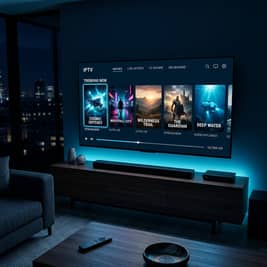
Discover the Best IPTV Providers in the UK for 2026!
Uncover the top IPTV providers in the UK for 2026.