

Unlocking the IPTVUK Free Trial: What You Need to Know

Tired of paying sky-high cable bills for channels you never watch? Or maybe you've heard about IPTV and want to test the waters before committing to a subscription but every provider seems to want your credit card upfront. That frustration is completely valid, and it's exactly why the IPTV UK free trial has become one of the most searched terms among cord-cutters in Britain. The good news? Legitimate providers do offer genuine free trials, and setting one up on your Firestick, Smart TV, or Android box takes less than ten minutes. This guide walks you through everything from finding a trustworthy trial to streaming live Premier League matches without a single dropped frame.
Solving this before you pay is crucial because IPTV subscriptions are rarely refundable. Locking in a bad service means stuck buffering through every match, VOD titles that refuse to load, and M3U playlists that drop offline every weekend. A proper free trial eliminates all of that risk.
Core Concepts & Need-To-Know Info
- What is an M3U URL: It's the playlist link your IPTV app uses to load your channel list. Your provider gives you this after approving your trial.
- Xtream Codes API: An alternative login method using a server URL, username, and password instead of a raw M3U link. Most UK providers support both.
- VOD (Video on Demand): The on-demand movie and TV show library separate from live channels. Quality varies wildly between providers.
- EPG (Electronic Programme Guide): The on-screen TV guide that shows what's airing now and next. A good EPG URL makes scheduling recordings in TiviMate effortless.
- ISP Throttling: Your UK internet provider (Sky, BT, Virgin) may detect and slow down IPTV traffic. A VPN encrypts your connection and bypasses this entirely.
- Minimum internet speed: You need at least 25 Mbps for stable HD streaming and 50 Mbps or above for 4K content without buffering.
- Device sideloading: Firestick doesn't have IPTV apps in the Amazon App Store, so you'll use the Downloader app to install them manually.
Step-by-Step Guide
- Step 1: Request Your Free Trial:
- Visit a reputable UK IPTV provider's website and locate their free trial page, usually found in the navigation menu or footer. Submit your email address and device type. Most providers approve trials within a few minutes and send your M3U URL or Xtream Codes credentials directly to your inbox. Avoid any provider asking for full payment details before granting a trial.
- Step 2: Enable Downloader on Your Firestick:
- On your Firestick, go to Settings, then My Fire TV, then Developer Options, and turn on Apps from Unknown Sources. This allows you to install IPTV apps that aren't available in the Amazon App Store. Without this step, you cannot install TiviMate, IPTV Smarters Pro, or GSE Smart IPTV.
- Step 3: Install Downloader from the Amazon App Store:
- Search for Downloader in the Amazon App Store and install the orange-icon Downloader app by AFTVnews. This acts as your browser and file installer. Open it and accept permissions when prompted.
- Step 4: Download and Install Your IPTV App:
- Inside Downloader, type the direct APK URL for your chosen IPTV app. For TiviMate, go to tivimate.com and use the companion installer URL. For IPTV Smarters Pro, search for the current APK download link. Once downloaded, tap Install and then Open when installation completes.
- Step 5: Enter Your Trial Credentials:
- Open your IPTV app. If using M3U, select Add Playlist via URL and paste your M3U link exactly as provided, since one wrong character breaks the entire playlist. If using Xtream Codes, select Xtream Codes API and enter your server URL, username, and password from the trial email. Tap Connect or Load Playlist.
- Step 6: Load the EPG and Organise Your Channels:
- Navigate to the EPG settings within your app and paste the EPG URL your provider sent. Allow the guide to load, which may take 1 to 3 minutes depending on catalogue size. Once loaded, favourite your key channels such as Sky Sports Main Event, TNT Sports, ITV, and Channel 4 for quick access during live matches.
- Step 7: Test Across Device Types:
- If you have multiple devices, a Firestick in the living room, an Android box in the bedroom, or a Smart TV app, test your trial on each. Some providers limit simultaneous connections even during trials, so confirm how many screens your future paid plan will support.
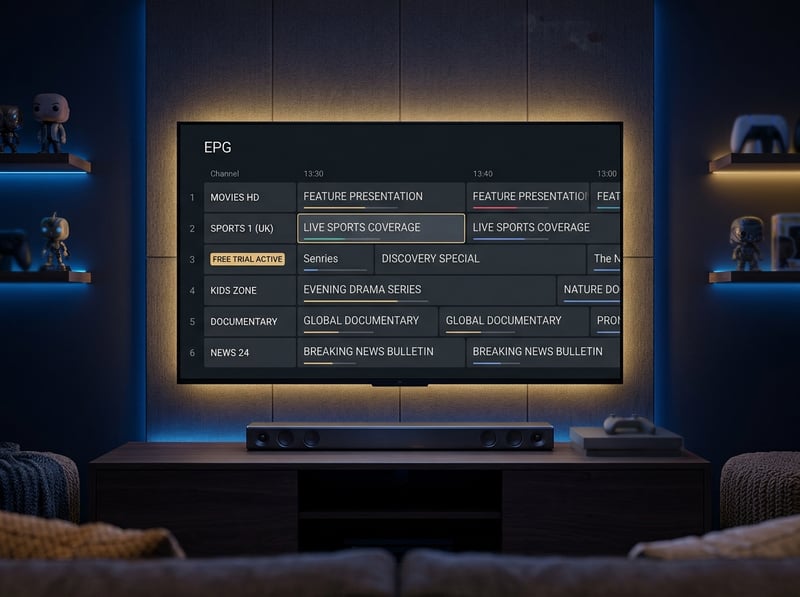
Picture this: it's Champions League night, you've loaded your free trial, everything looks perfect, then 20 minutes into the match the stream freezes and refuses to buffer. Without a VPN, that's almost certainly ISP throttling. Without checking DNS, it could be your router silently blocking the stream server. These aren't rare edge cases, they're the number one complaint in every UK IPTV community forum.
Best VPNs to Stop ISP Throttling During Your IPTV UK Free Trial
- ExpressVPN: Consistently the fastest VPN for IPTV streaming, with UK and international servers optimised for high-bandwidth video. Lightway protocol keeps latency low enough for live sports.
- NordVPN: Excellent for UK users with NordLynx protocol delivering exceptional speed. The Threat Protection feature also blocks malicious ad redirects common on free IPTV sites.
- Surfshark: Best value for households with multiple streaming devices since it offers unlimited simultaneous connections on one account. Ideal for the whole house.
- Always connect to a nearby UK server: Routing through a US or European server adds latency. For UK IPTV content, connect to a Manchester or London VPN server for the lowest ping.
- Enable the kill switch: If your VPN drops mid-stream, a kill switch cuts the internet connection instantly rather than exposing your traffic to your ISP unencrypted.
TiviMate vs IPTV Smarters Pro: Which App Should You Use for Your Trial?
- TiviMate: The gold standard for Firestick and Android TV. Its interface is clean, remote-friendly, and supports catch-up TV, series recording, and multi-screen picture-in-picture. The free version is functional and TiviMate Premium unlocks recording and multiple playlist support.
- IPTV Smarters Pro: Completely free and works well on iOS, Android phones, and Smart TVs where TiviMate isn't available. The interface is slightly more cluttered on a TV remote but perfectly usable.
- GSE Smart IPTV: Worth knowing as a backup. If your M3U URL fails to load in TiviMate, GSE often handles malformed playlist links more gracefully.
- For beginners on a Firestick: Start with TiviMate. The remote navigation is intuitive, the EPG loads cleanly, and finding channels during live events takes seconds rather than minutes.
Network Requirements for Smooth IPTV Streaming in the UK
- HD streaming (1080p): Minimum 25 Mbps download speed, ideally with less than 20ms ping to your IPTV server.
- 4K Ultra HD streaming: You need a stable 50 Mbps or above, and your IPTV provider must offer genuine 4K streams. Most UK providers currently offer HD as their top tier.
- Wired Ethernet beats Wi-Fi every time: A cheap ethernet adapter for your Firestick 4K Max eliminates 80% of buffering complaints overnight. Wi-Fi interference from neighbours, walls, and microwave ovens causes packet loss that IPTV streams cannot recover from gracefully.
- Restart your router weekly: UK ISPs often push firmware updates that reset QoS settings. A weekly restart keeps your connection clean and your IP address fresh.
- Use a dual-band router and connect your streaming device to 5GHz: The 5GHz band is less congested and handles the sustained throughput that IPTV requires far better than 2.4GHz.
Common Setup Mistakes and How to Fix Them
- Playlist refuses to load: 90% of the time this is a typo in the M3U URL or an extra space pasted after the link. Delete the URL entirely, return to your email, and copy-paste again from scratch.
- Channels load but show black screen: This is almost always ISP throttling or a DNS block. Connect your VPN immediately and reload the channel. If it plays, throttling was the culprit.
- EPG shows wrong times: Your EPG timezone is set incorrectly in the app settings. Open TiviMate, go to Settings, then EPG, then Timezone, and set it to Europe/London (GMT/BST).
- App crashes on launch after installing: The APK version may be incompatible with your Firestick generation. Return to Downloader, find the previous stable version, and install that instead.
- Trial credentials stop working after 24 hours: Most genuine free trials last 24 to 48 hours. If yours expired, contact the provider's support directly since legitimate services will often extend your trial if you explain you haven't finished testing.
An IPTV UK free trial done right removes every risk from switching away from expensive cable or satellite TV, letting you see exactly how the service performs on your hardware, your internet connection, and during the content you actually care about before spending a single pound. Follow the steps above, avoid the common pitfalls, grab a reliable VPN, and check out our full channel list and pricing plans to start streaming with complete confidence before your trial even expires.
Frequently Asked Questions
Ready to get started?
Try our service risk-free with a 24-hour free trial.
Related Articles

How to Buy IPTV Subscriptions: Your Complete 2026 Guide
Learn the best ways to buy IPTV subscriptions and enhance your streaming.

Discover the Best IPTV Provider in the UK: A Comprehensive Guide
Explore how to select the best IPTV provider in the UK.
Unlock the Best Free Trial IPTV Options: A Complete 2026 Guide
Discover the best free trial IPTV services and tips.