

Unlocking British IPTV: Your Comprehensive 2026 Guide

IPTVBestStream Editorial Team
IPTV Buying Guides for the UK & Canada
If you've been paying an arm and a leg for a Sky or Virgin Media subscription just to watch your favourite BBC dramas, Premier League matches, and ITV reality shows, you're not alone and you're about to feel very relieved. British IPTV has become the go-to solution for UK expats, cord-cutters, and streaming enthusiasts who want access to hundreds of UK channels without being locked into expensive contracts or region-restricted apps. The problem most people run into isn't finding a service it's the setup. Between M3U playlists, Xtream Codes logins, app configurations, and buffering issues, it can feel overwhelming fast. This guide cuts through all of that and gets you watching live UK TV in the shortest time possible.
Solving your British IPTV setup correctly from day one means the difference between a seamless, cinema-quality viewing experience and a frustrating cycle of buffering, frozen screens, and playlist errors. Getting this right matters because ISP throttling, misconfigured apps, and poor server selection are all preventable problems once you know what you're doing.
Core Concepts & Need-To-Know Info
- M3U Playlist URL: This is a web link your IPTV provider gives you that contains all the channel data. Your app reads this URL to load every channel, live stream, and VOD title into your player
- Xtream Codes API: An alternative to M3U - instead of a URL, you get a server address, username, and password. This method is more stable and preferred for apps like TiviMate
- EPG (Electronic Programme Guide): The on-screen TV guide that shows what's currently airing and what's coming next - essential for scheduling recordings and browsing UK channels easily
- VOD (Video on Demand): On-demand movies and TV series hosted on your IPTV provider's servers, accessible through the same app as your live channels
- ISP Throttling: When your internet provider detects high streaming traffic and intentionally slows your connection - a VPN fixes this immediately
- Buffer/Rebuffer Events: Usually caused by slow server response, insufficient internet bandwidth, or an overloaded IPTV provider - choosing a quality UK-focused provider prevents most of this
- Internet Speed Requirements: For HD streaming you need at least 10 Mbps; for 4K streams, aim for 25 Mbps or higher with a stable, low-latency connection
Step-by-Step Guide
- Step 1: Enable Downloader on Your Firestick:
- Go to your Firestick Home Screen and navigate to Settings, My Fire TV, Developer Options. Toggle on Apps from Unknown Sources and ADB Debugging. This unlocks the ability to install apps that aren't in the Amazon App Store - you only need to do this once.
- Step 2: Install the Downloader App:
- From your Firestick Home Screen, go to the Search icon, type Downloader, and install the free Downloader app by AFTVnews. Open Downloader and grant it the storage permission it requests when prompted.
- Step 3: Install TiviMate IPTV Player:
- Inside Downloader, tap the URL bar and type: https://tivimate.com - follow the on-screen instructions to download and install TiviMate. Once installed, open TiviMate and select Add Playlist from the welcome screen.
- Step 4: Enter Your British IPTV Subscription Details:
- Your IPTV provider will have sent you login credentials. If they gave you an M3U URL, select M3U Playlist and paste the full URL exactly as provided - one wrong character breaks everything. If they gave you Xtream Codes details (server, username, password), select Xtream Codes API and enter each field carefully. This method is faster and more reliable for UK channel packages.
- Step 5: Configure Your EPG (TV Guide):
- Once your playlist loads, go to TiviMate Settings, EPG Sources. Your British IPTV provider should supply an EPG URL alongside your login credentials. Paste it here and set the refresh interval to every 24 hours. This populates your TV guide with UK programme schedules automatically.
- Step 6: Organise Your UK Channel Favourites:
- TiviMate lets you create custom channel groups. Long-press on any channel and select Add to Favourites. Create a UK Favourites group containing BBC One, ITV, Channel 4, Sky Sports Main Event, and any other channels you watch daily. This saves you scrolling through hundreds of international channels every time.
- Step 7: Test Your Streams and Adjust Video Settings:
- Navigate to a live UK channel and watch for 2 to 3 minutes. If it plays smoothly, you're good. If you notice buffering, go to TiviMate Settings, Player, Buffer Size and increase it from the default to 10 to 15 seconds. Also try switching between available stream quality options if your provider offers HD and FHD versions of the same channel.
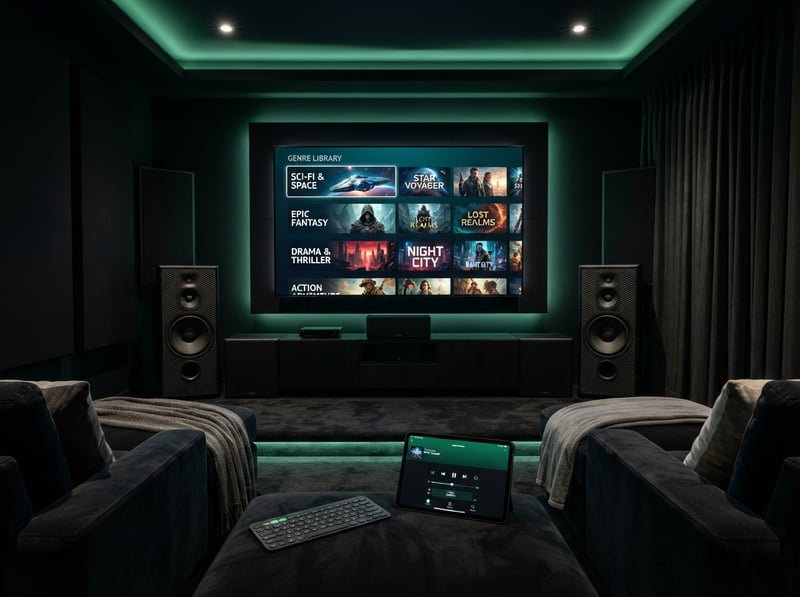
Picture this: it's Saturday 3PM, the Premier League match just kicked off, and your stream freezes solid for 90 seconds right as a goal is scored. That's not bad luck - that's an overloaded free IPTV server that thousands of users hammered simultaneously. Paying for a reputable British IPTV service with dedicated UK server infrastructure eliminates this entirely. A quality VPN like ExpressVPN or NordVPN also adds a crucial layer of protection against ISP throttling, ensuring your connection stays fast throughout a full 90-minute match.
Best VPNs to Stop ISP Throttling on British IPTV
ISP throttling is the silent killer of IPTV quality, and it's particularly aggressive on UK connections during peak streaming hours. A VPN encrypts your traffic so your ISP can't see what you're doing and can't throttle it. ExpressVPN is the top pick for British IPTV users - its MediaStreamer technology and UK-based servers deliver consistently low latency, and it has a dedicated Firestick app that takes under 2 minutes to set up. NordVPN offers excellent UK server coverage and its NordLynx protocol (based on WireGuard) gives you genuinely fast speeds without the overhead that older VPN protocols introduced - ideal for 4K British IPTV streams. Surfshark is the budget-friendly option with unlimited simultaneous connections, meaning you can protect every device in your household under one affordable subscription. Always connect to a UK VPN server when accessing British IPTV - this keeps your routing geographically close to the IPTV servers and reduces the number of network hops your data takes, which directly improves stream stability.
TiviMate vs Smarters: Which App Is Best for British IPTV?
Choosing the right player for your British IPTV subscription has a bigger impact on your experience than most people realise. TiviMate is the clear winner for Firestick and Android TV users who want a polished, TV-first interface - its EPG integration is flawless, the catch-up and recording feature works beautifully with UK providers that support it, and the customisation options are extensive, though the full version costs a small annual fee that is worth every penny. IPTV Smarters Pro is the better choice for users who primarily stream on smartphones and tablets - its mobile interface is more intuitive and it handles Xtream Codes logins with zero fuss, making it popular among British expats travelling with a phone or iPad. GSE Smart IPTV is worth mentioning as a strong alternative, especially for Apple TV and iOS users who want robust M3U playlist support. If you're using a Samsung or LG Smart TV, look into Smart IPTV (SIPTV) which offers a lightweight, TV-remote-friendly interface that's ideal when you don't have a Firestick plugged in.
Network Requirements for 4K British IPTV Streaming
Not every home network is ready to handle 4K British IPTV streams, and assuming yours is without checking leads directly to buffering complaints. You need a minimum of 25 Mbps dedicated to your streaming device for stable 4K - run a speed test at fast.com directly on your Firestick or TV to confirm what you're actually getting at the device, not just at your router. A cheap Ethernet adapter for your Firestick or a direct cable to your Android TV box will outperform even a strong Wi-Fi signal for IPTV stability, as wired connections eliminate the packet loss and interference that causes micro-buffering. If you're on a cheap ISP-supplied router, consider upgrading to a TP-Link Archer or ASUS RT series router whose better QoS settings let you prioritise streaming traffic over other devices. Switching from your ISP's default DNS to 1.1.1.1 (Cloudflare) or 8.8.8.8 (Google) can also reduce channel loading times and improve EPG refresh speeds.
Common Setup Mistakes and How to Fix Them
Even tech-savvy users make these mistakes with British IPTV. A blank channel list after adding your M3U URL is in 99% of cases a typo - delete the playlist entry completely, copy the URL directly from your provider's welcome email, and paste it rather than typing it manually. If channels load but there's no EPG, your EPG source URL either wasn't added or has expired - go to your TiviMate EPG settings, re-enter the URL from your provider, and force a manual refresh. Specific UK channels showing a stream error usually means that individual channel stream has gone down on the provider's server temporarily - wait 10 to 15 minutes and try again. If your app crashes when browsing VOD, clear your app cache immediately by going to Settings, Applications, Manage Installed Applications, TiviMate, Clear Cache, as large VOD libraries can bloat the cache and destabilise the app within weeks of first use.

British IPTV done right genuinely transforms how you watch UK television - whether you're an expat in Spain wanting to catch EastEnders live, a sports fan tired of paying Sky's premium prices, or simply someone who wants more channels for less money. The setup process takes under 30 minutes when you follow the steps above, and the savings versus traditional UK pay-TV packages are immediate and substantial - check out our full channel list and pricing plans to find the subscription that fits your viewing habits perfectly.
Frequently Asked Questions
Ready to get started?
Try our service risk-free with a 24-hour free trial.
Related Articles

Discover the Top Rated IPTV Services for 2026: A Comprehensive Guide
Uncover the best top rated IPTV services and apps.

Discover the Best IPTV UK Options for 2026: Complete Guide
Uncover the top IPTV UK options for streaming in 2026.

Unlocking UK IPTV Subscriptions: Your Ultimate 2026 Guide
Explore the essential guide to UK IPTV subscriptions and streaming.